

Carding Forum
Professional
- Messages
- 2,788
- Reaction score
- 1,297
- Points
- 113
How installing Google Authenticator from the official website deprives users of privacy.
Cybersecurity specialists from Malwarebytes discovered a new scheme for distributing malicious software. Attackers use Google Ads to pass off malware as the official Google Authenticator app, while using the official domain as a decoy.

The scheme works as follows: when searching for Google Authenticator, the user sees an ad supposedly from an official source. In fact, a fake account is behind the ad. When you click on the link, a number of redirects occur to domains controlled by fraudsters.
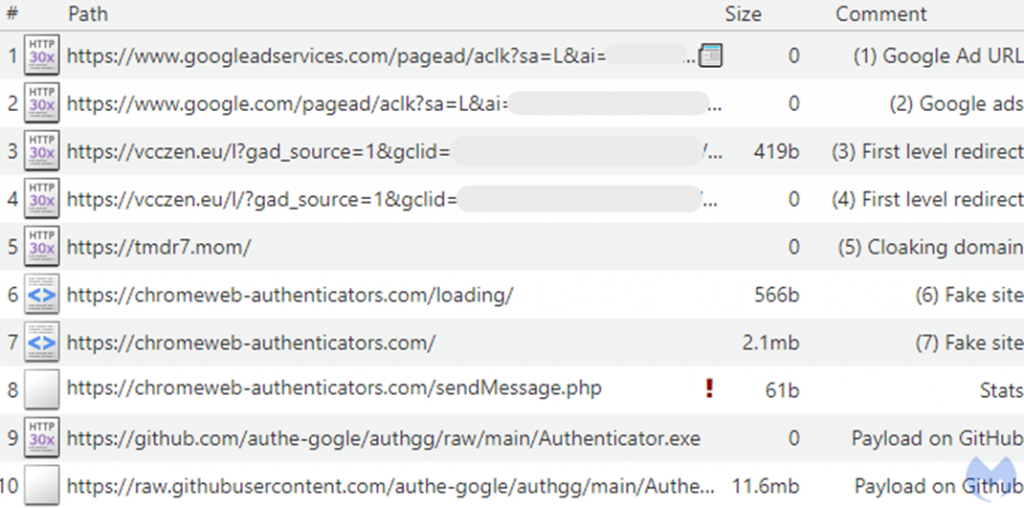
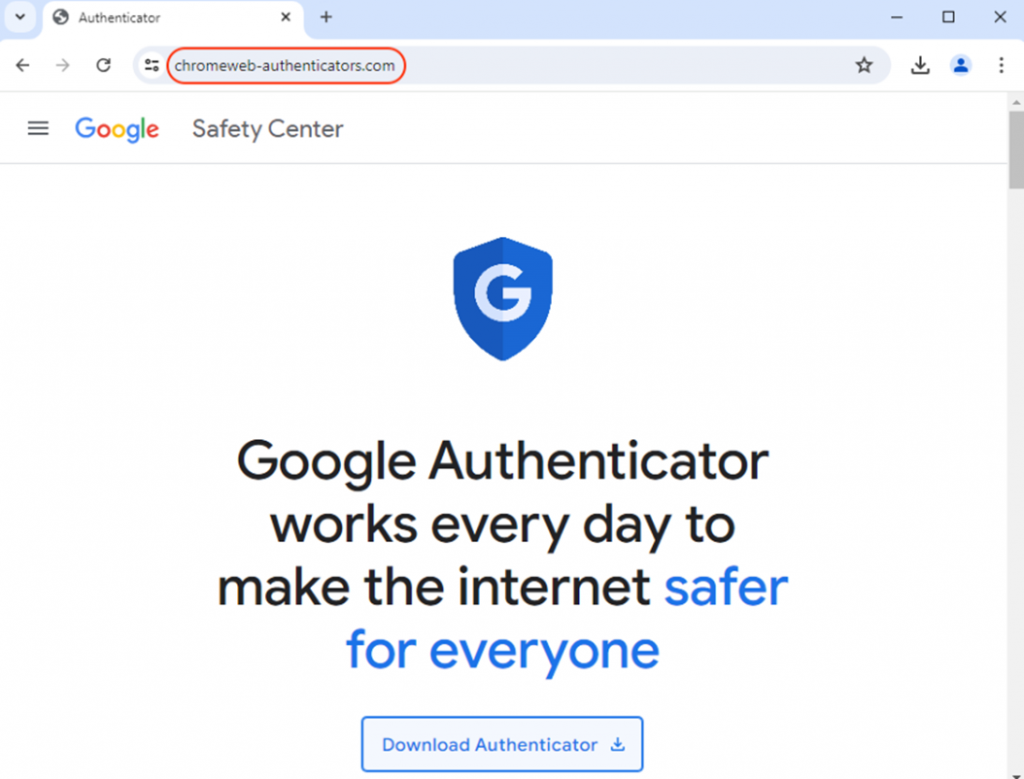
As a result, the user ends up on a fake site that mimics the Google Authenticator page. It suggests downloading the executable file.
This is followed by redirection to GitHub, where the payload is placed. Using legitimate hosting for developers inspires trust in users and allows you to bypass many security systems.

The downloaded file contains the DeerStealer malware. It is designed to steal the user's personal data. All stolen information is immediately sent to the attackers server.
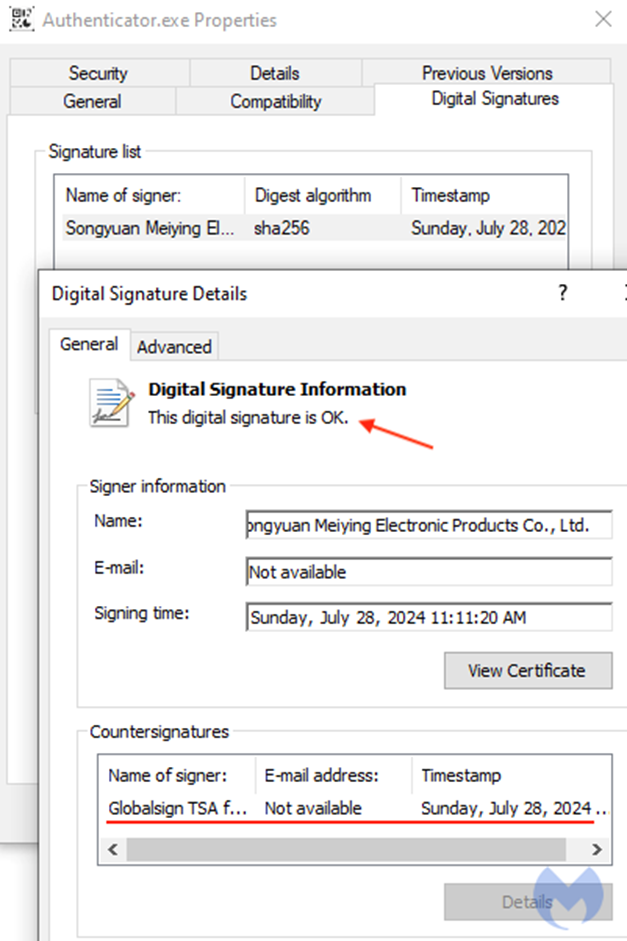
It is noteworthy that the malicious file has a valid digital signature, which further misleads users.
Malwarebytes experts noted a special irony of the situation: trying to improve security using two-factor authentication, users risk becoming victims of fraudsters by accidentally coming across a similar phishing site disguised as an official one using a lot of redirects.
Earlier, we have repeatedly written about such exploitation of Google Ads, when attackers used legitimate domains of large services in the sponsor block, which in fact led to a trap site.
Experts recommend that you do not click on advertising links to download software. Instead, you should visit the official developer sites directly. And so that malicious ads do not confuse you, it is not superfluous to install a proven ad blocker.
Source
Cybersecurity specialists from Malwarebytes discovered a new scheme for distributing malicious software. Attackers use Google Ads to pass off malware as the official Google Authenticator app, while using the official domain as a decoy.
The scheme works as follows: when searching for Google Authenticator, the user sees an ad supposedly from an official source. In fact, a fake account is behind the ad. When you click on the link, a number of redirects occur to domains controlled by fraudsters.
As a result, the user ends up on a fake site that mimics the Google Authenticator page. It suggests downloading the executable file.
This is followed by redirection to GitHub, where the payload is placed. Using legitimate hosting for developers inspires trust in users and allows you to bypass many security systems.
The downloaded file contains the DeerStealer malware. It is designed to steal the user's personal data. All stolen information is immediately sent to the attackers server.
It is noteworthy that the malicious file has a valid digital signature, which further misleads users.
Malwarebytes experts noted a special irony of the situation: trying to improve security using two-factor authentication, users risk becoming victims of fraudsters by accidentally coming across a similar phishing site disguised as an official one using a lot of redirects.
Earlier, we have repeatedly written about such exploitation of Google Ads, when attackers used legitimate domains of large services in the sponsor block, which in fact led to a trap site.
Experts recommend that you do not click on advertising links to download software. Instead, you should visit the official developer sites directly. And so that malicious ads do not confuse you, it is not superfluous to install a proven ad blocker.
Source