Online anonymity in someone el'se network - basic concepts for carding job
Discussion of anonymity should not start with the words proxy / TOR / VPN, but with the definition of the task: anonymously connect to someone else's server via SSH is one thing, anonymously raise your website is another, anonymously working on the Internet is the third, etc. - and all these tasks are solved in different ways. This article is about the task of “surfing the Internet anonymously as a user”.
Lately, there have been many articles on the web on the topic of ensuring anonymity on the Internet, but they all describe the "slightly anonymous" approach. Being "a little anonymous" is practically pointless, but judging by the comments on these articles, many do not understand this.
First,
you need to adequately assess a potential adversary. If you want to be "anonymous", then you are trying to avoid the possibility of associating your Internet activity with your physical location and / or real name. Ordinary users already do not have the ability to track you (technically, social methods when your account in social networks with all personal data is easily googled by your nickname on the forum, we do not consider here). Your ISP / neighbors may be able to listen to most of your traffic, but, as a rule, they are not interested in you (yes, neighbors can steal your passwords, but they will not monitor your activity or de-anonymize your name). As for the owners of the resources you use (websites, proxies / vpn servers, etc.), they have a lot of tools at their disposal to track you (DNS-leaks, Flash / Java plugins, banner networks, browser fingerprints, many different types of cookies, etc.) plus a serious commercial interest in tracking you reliably (for targeting ads, selling data, etc.). Well, the government and special services can access both the data that websites collect on you and the data that providers collect. Thus, it turns out that
those who have the ability and desire to track you - have access to most of the possible leakage channels.
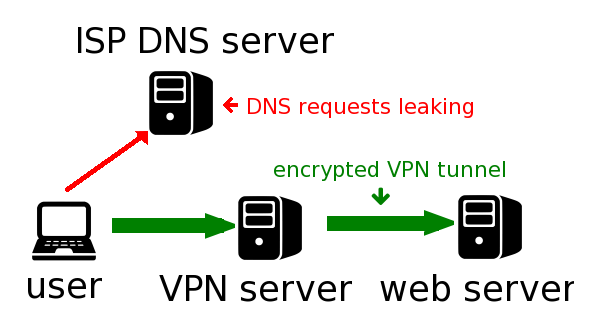
How DNS Leak works.
Secondly, there are very, very many channels of information leakage. And they are very diverse (from a suddenly disconnected VPN to getting a real IP through Flash / Java plugins of the browser or sending a serial to your server by some application when trying to update). Moreover, new ones are regularly discovered (and created). Therefore,
an attempt to block each of them individually, with methods unique for each, simply does not make sense, anyway, something will leak somewhere.
Thirdly, when “working on the Internet”, not only the browser is used - most also use IM, torrents, mail, SSH, FTP, IRC ... and often the information transmitted through these channels overlaps and allows them to be linked together (.torrent- the file downloaded from the site under your account is loaded into the torrent client, the link received in the letter / IM / IRC opens in the browser, etc.). Add to this the fact that your OS and applications also regularly go online about their business, transferring a bunch of information that deanonymizes you ...
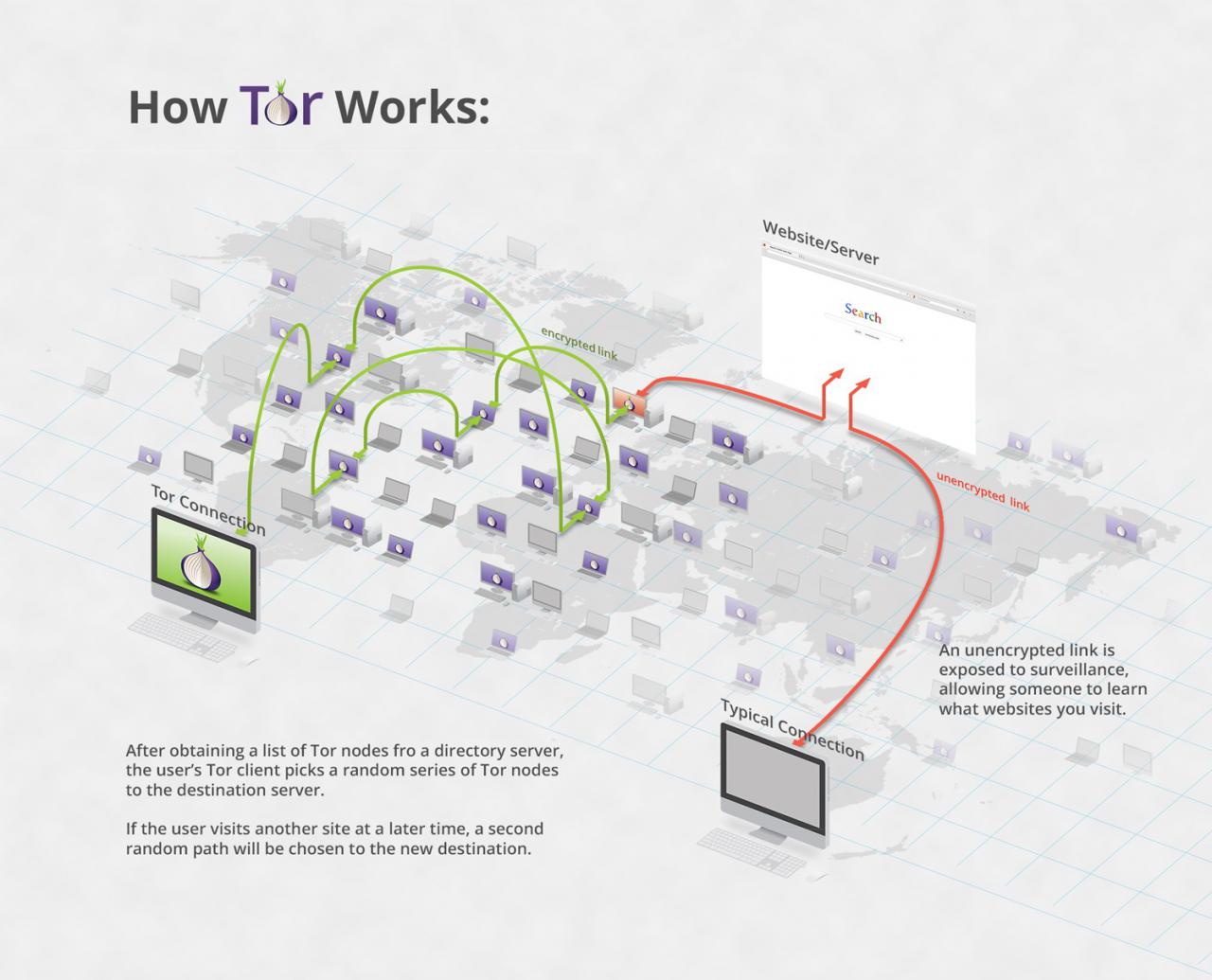
TOR network operation scheme.
It logically follows from all this that there is no point in trying to add "a little anonymity" by using a browser with built-in Tor, or by setting up a torrent client to work through SOCKS. Most of you will not be able to track without these measures, and those who have the ability and desire to track you will not be stopped by these measures (at most, they will slightly complicate / slow down their work).
In general, there is only one way to ensure complete anonymity. For some private tasks, there may be simpler solutions - for example, in order to anonymously connect to the server via SSH, it
seems that it is enough to use Tor. But these are exceptions that can only be resorted to if these are
rare one-time tasks, and even then you need to be careful enough to avoid, for example, DNS-leaks. Taking into account the risks, I would not recommend resorting to such solutions at all - if sometimes there is a need for anonymity, then it is safer and easier to implement full-fledged anonymous access to the Internet once and use only it. Therefore, it is much more useful to describe (and help with installation / configuration) the implementation of full-fledged anonymity than to describe the differences between different versions of the SOCKS protocol or embed Tor into a specific web browser.
First, we need a virtual machine. It will have a virtual network interface that works through NAT, i.e. with an IP like 192.168.xx and a left MAC. Thus, no Flash / Java plugins or even exploits that hacked your browser will be able to find out your real IP.
Further, you need to install in this virtual machine either free OS and all applications (Linux), I would recommend using Tails, or stolen and hacked (Windows) - so that when these applications transfer their license numbers to the Internet, they cannot be associated with you.
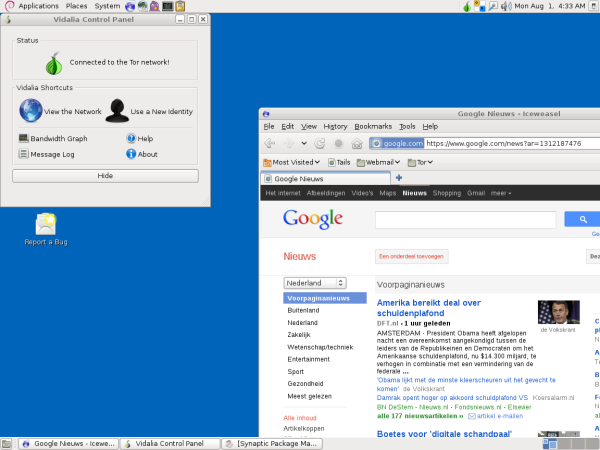
Linux Tails.
To hide your IP from visited sites, and hide your traffic from your ISP / neighbors / Tor exit node, you will need access to a VPN service (it doesn't matter if it is based on OpenVPN or SSH). It should be either a free VPN or paid via Bitcoin - but in any case, it shouldn't be possible to connect (for example, through the credit card used to pay) you with this service. (And by the way, when paying with bitcoins, you should also be careful). The OS must be configured so that
all traffic goes only through the VPN.
To hide your IP from the owners of the VPN service and their provider, you need to route the VPN connection through Tor.
To ensure that no failures (or hacking with reconfiguration) inside the virtual machine will "light up" your real IP address, you need to configure the firewall on the main (host) system so that all (ie not only TCP, but really all!) virtual machine traffic was passed exclusively in Tor and nowhere else.
Well, last but not least, very important: you should not enter anything inside this virtual machine that may be associated with your real personality - name, credit card numbers, go to "your" accounts on any sites, upload ( at least, without clearing EXIF metadata) to sites, photos taken with your main camera / phone, etc. Create separate "left" accounts on all necessary sites, create separate mail / IM-accounts (and do not correspond between your real and these accounts). Buy exclusively virtual goods (which do not need to be delivered to your physical address) and only for bitcoins.
That's all. With such a system, you no longer have to worry about being tracked through different types of cookies, HTTP headers and plugins, or the VPN connection being dropped accidentally. Those. they will track, but they cannot physically bring the profiles created by them to you. I would also recommend using a browser and IM / email clients in a virtual system that are visually noticeably different from those in your main system - in order to exclude accidental use of the "wrong" system.
In theory, there is still a chance to track you by the style of your texts but in practice, for this, you first have to suspect that your regular, non-anonymous account and your anonymous account are one person - which will not happen if you adhere to the rules described above. And if such a suspicion nevertheless arose, then in our conditions no one will bother analyzing texts, they will just break into your home and study your computer.